A distinct identity each
Every agent has its own role, skills and memory. Swap the member and you swap the whole approach.
Free · No account · Data stays on your machine by default
For indie developers, small teams, anyone handing work over
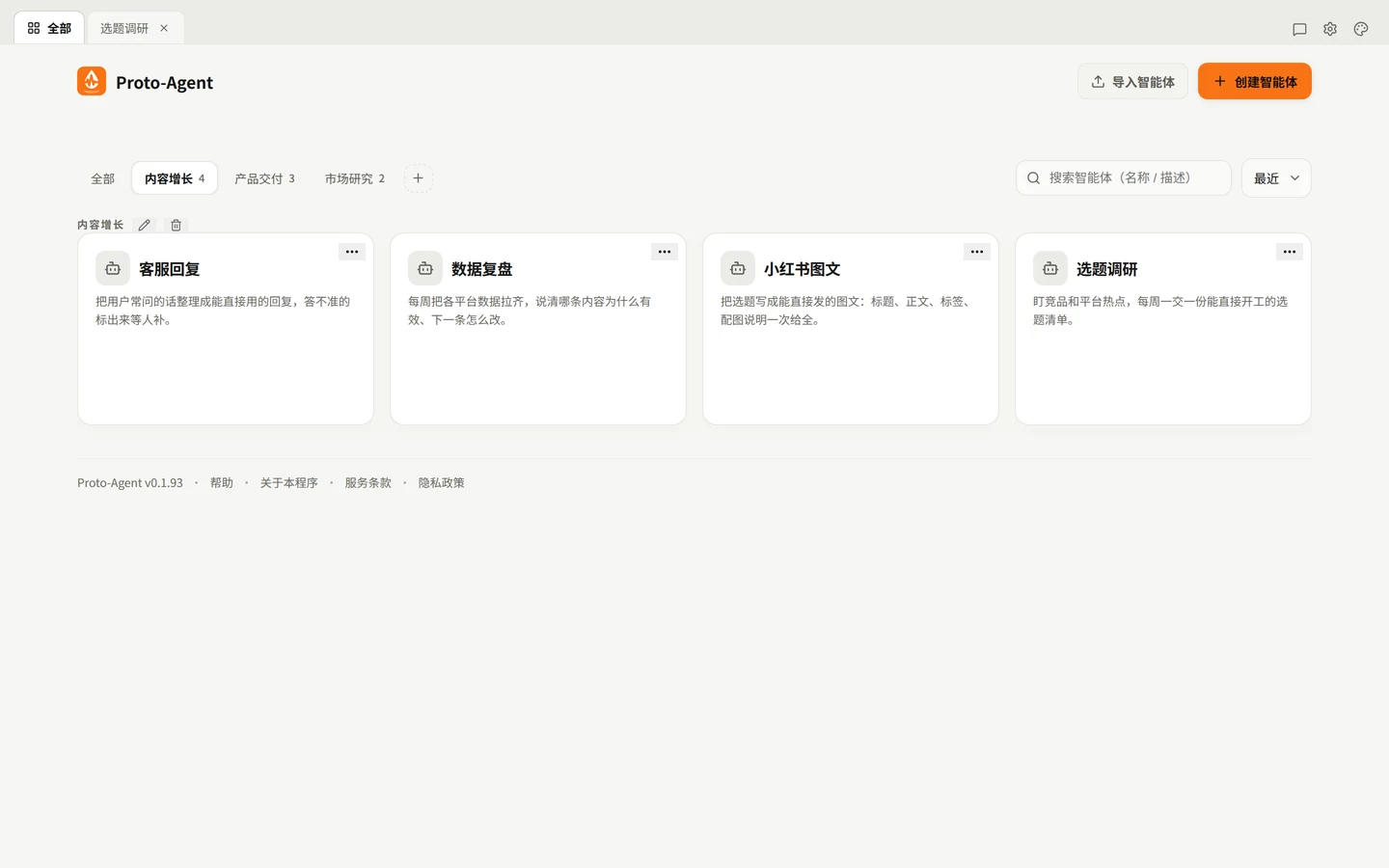
Hire a few members and split them into groups: who writes, who delivers, who researches. Not one do-everything chat box, but a room of members with different jobs.
Every agent has its own role, skills and memory. Swap the member and you swap the whole approach.
Product, growth, research — one tab each. A single click shows who is on what.
Hand the same goal to different members, or let them pass it along and each deliver a piece.
Work goes to them, and what they learn stays with them — the longer you run them, the more they feel like a team you trained.
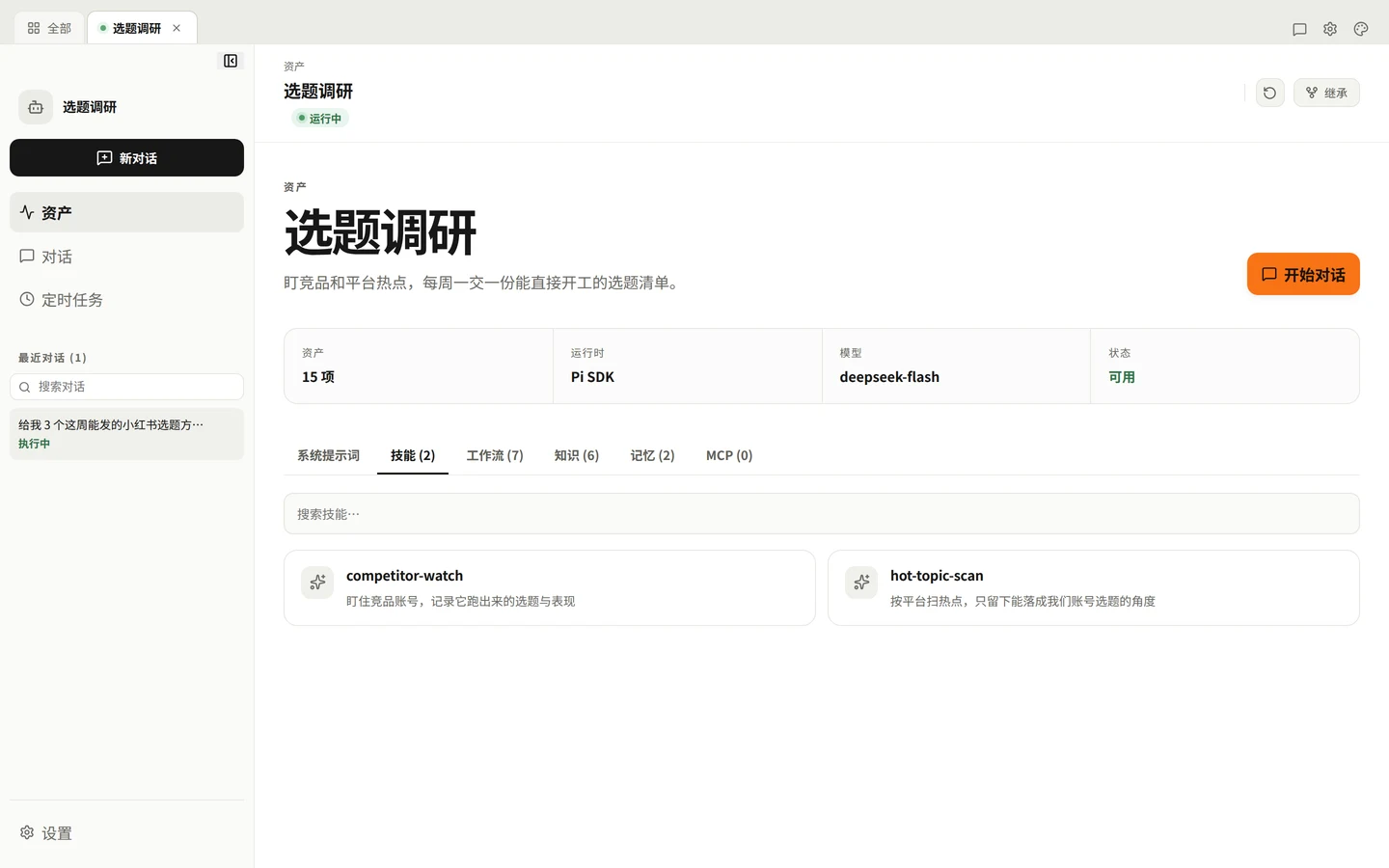
The difference is not the model — it is what the agent keeps for itself.
What sits between them: the changes you approved — methods settle into skills, conclusions into knowledge, preferences into memory.
You do not have to do everything inside one window.
One agent passes a subtask to another and the result lands back in the original conversation.
Talk to your agent inside WeChat or QQ — no app to install on your phone.
Who did what, when, and what came out of it: all of it stays reviewable, changes included.
From install to your first agent improving itself — in minutes.
Install the package, then open http://127.0.0.1:8091/ in your browser.
Create an agent per role: who it is, what it owns, and whatever it needs to do the job well.
The agent puts its capabilities to work — and keeps the process and the experience.
When it finds a lasting gap, it brings you a plan. You approve, it makes the change, and nothing takes effect until the checks pass.
Local deployment means your agents, sessions and data stay on your own machine.
Agents, sessions, attachments and model connections live on your own machine; reinstalls and upgrades do not lose them.
No ads, no third-party tracking. It checks for updates every 6 hours by default (can be turned off in Settings) and never sends conversation content.
When it finds a lasting gap it brings a plan first; it only acts on the paths you approve, and every change is on record and reversible.
The runtime ships in the package: no Node install, no Docker, no account.
On Linux, extract the tarball, enter the folder and run ./start.sh; on Windows, just run the installer. Then add a model provider in Settings to start dispatching work.
# Linux (x64)
tar -xzf proto-agent-0.1.93-linux-x64.tar.gz
cd proto-agent-0.1.93-linux-x64
./start.sh
# → http://127.0.0.1:8091/

# Windows
Proto-Agent-Setup-0.1.93.exeThose are tools you use and leave. Here every agent keeps its methods and experience — and it never changes itself without your approval.
Yes. Free for individuals and teams; enterprises can purchase customization and support. The product is source-closed.
No. Describe who the agent is and what it owns and it can start; if you want to go deeper, its assets are managed like code.
OpenAI, Anthropic or any compatible endpoint, with your own key. The software is free; you only pay your model provider.
Not by itself. Network is needed only when you call a model provider, and that request is configured by you.
Conversations, files and attachments stay on your machine. The only default outbound call is the update check (version, OS class and a random local ID), which you can turn off. No ads, no third-party tracking.
Packaged today: Windows · Linux · macOS. Once downloads open, packages are on the download page.
Free, runs locally, and your data stays on your own computer.
Download free